 In my business I see a lot of snapshots taken by ordinary people. They aren’t professional photographers. The “Average Joe” is usually just trying to record a moment or subject, not win a prize in a photo contest for technical excellence. However, here is something very important to remember before taking that spare-of-the-moment picture. You won’t be able to take that exact image again. That moment in time will be gone. So, it’s best if you record that image the best you can at the time you hear the click of the shutter. Call it an insurance policy. Better to do it correct when taking the photo now than years later saying …”what if” or “I wish I had…”
These tips are very simple things to do and to make a habit of when taking pictures. If you are already doing them…great. You probably will have fewer “second thoughts” years from now. However, if you think your photos are lacking “something”, these tips could be the key to saying “wow” today and tomorrow. I guarantee you will see major improvement in your photography, if you follow these steps.
—Move in as close to the subject(s) as possible. Unless you’re taking a scenic shot, a lot of background in the picture is not important. (more about that later) We want to see the person/subject, not the trees or grass in the background. When looking at the printed photo later, we want the eyes to be drawn to the subject(s). The subject should be the focus of the picture. Also, unless what the person is wearing is important, it it not necessary to include the subject from head to toe in the picture. You’ll be able to get much closer if you take the picture with the subject(s) shown, at most, from the waist-up.
—How you hold the camera, vertical (up & down) or horizontal (left to right), will help in framing the subject. This will also help you to get as close as possible. Can you get the subjects in the camera’s viewfinder when holding it vertically. If so, that’s how you should take the photo. If not, switch to horizontal. Usually, in general, 1 or 2 people should be taken vertically. Three or more people should probably be taken horizontally. This is probably the most common, but easily correctable, problem with snapshots that I see. If there is one person in the photo, rarely should the picture be taken horizontally. Yet, I see it a lot. It’s understandable if the person is standing in the Grand Canyon. That’s a wide scenic view and one that you want to include in the image. But, that is rare. Here is another important tip concerning positioning of the camera. Move the camera before you move yourself. If you are the photographer, stand 5-10 feet from the subject(s) and position the camera in the vertical or horizontal position following the guidelines stated above. If you can’t fit everyone in the frame, then take a step(s) backward. Remember, we’re trying to be as close as possible to the subject(s). Experiment with repositioning the camera before repositioning yourself!
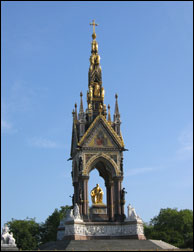 —Too much needless background in a photo is a common problem with snapshots. Moving in closer and positioning the camera correctly can eliminate needless background. But, how do you decide when to curb it and when to expand it? Ask yourself these questions. Is the background unique or interesting? Does the background help in telling a story about the subject or what was happening at the time the picture was taken? If you are taking a picture of a clown in front of a building or in front of trees and bushes, the background is not unique, nor is it telling a story about the clown. So, move in close and take the picture vertically. However, if the clown is standing in the middle of the midway of a carnival or circus, that is very appropriate to show in the background. It helps to tell a story about the clown and it’s interesting. It also tells a story about the photographer. It lets us know that the photographer was at a carnival or circus. This would be an ideal situation to step back and allow more of the background to be seen in the viewfinder. Use this tip when considering where to take your picture and how to position the camera.
—By following the tips above, you will not only see more appealing photos but it will also be a major benefit if you should decide you want any of your photos enlarged in the future. You might even find it more cost effective. Here’s how. A top reason why a lot of people have a photo enlarged, is because they want to see the subject(s) bigger and have needless background eliminated. An issue that wouldn’t be an issue if the steps outlined above were followed. If when taking your photos you move in closer and position the camera correctly, vertical vs horizontal, (A) The image/subjects will be closer and easier to see, therefore enlarging may not be necessary. (B) If you want a photo enlarged, you probably will find it will not have to be enlarged as much to get the size of image/subject you desire.
—Let’s debunk a myth! The best pictures are those taken in bright sunlight. Right? That’s WRONG! The best lighting conditions in which to snap an outdoor photo is…overcast skies. Bright sunlight, especially from an afternoon summer sun, washes out color on the subject and causes upheaval with your camera’s eye or lens. For more appealing skin tone and color saturation, take your outdoor photos on an overcast day or in the shade. A trick that professional photographers use when shooting in these conditions is to use flash on a low setting. The flash adds a little light to brighten the scene (highlights) and add “catch lights” (those little white dots) to the eyes. A yellow filter can be attached to the front of the flash to add a bit of yellow light, mimicking the sun. The flash will also be very beneficial if the subject is wearing a hat or cap with a brim. The hat can overshadow the eyes and top of the face. By using flash, you’ll reduce the shadow by throwing light under the brim.
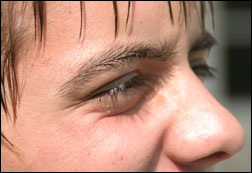
Speaking of the sun…don’t pose your subject(s) facing the sun (causes eye squinting and wrinkles) or with their back to the sun (causes lighting issues) . Position the subject with the sun to their side.
 A GOOD sun in which to photograph outdoor pictures, is a late afternoon autumn sun. The deeper yellow lighting adds warmth to a photo. Done correctly, the lighting alone can make a photo extraordinary.
—Want to eliminate “red eye? The scary, glowing “red eye” affect is caused when the flash is reflected in the eye and bounces back to the camera’s lens. I won’t bore you with a physics lesson, but that reflection bounces back in an almost straight and level line from the eyes. So, if your flash is attached to the camera, do not take the picture on the same level as your subject’s eyes. (A) Have the person look towards the camera but not directly at it. (B) The photographer should move the camera slightly above or below the subject’s eye level.
If your camera has a detachable flash, hold the flash above or to the side of the camera when snapping the shutter.
Photographing animals without “red eye” is more difficult because you can’t control where they look and usually have to snap it quick. Suggestions include…photographing them in action and not in a posed position, therefore their eyes more than likely won’t be directed towards the camera. Secondly, you can try quickly moving away from the animal’s eye level a split second before snapping the shutter. But, that is dangerous because you may have “camera shake” when clicking the shutter, which will lead to a fuzzy image.
About the Author
Marilyn Lyons is an awarding winning photographer with a Photographic Technology degree from the Ohio Institute of Photography & Technology. She has worked with a variety of photographers and owned her own studio. She currently is a veteran of the photo sculpture industry, working with photographers and the general public to produce stand-up 3-d statues of their photography. You can check-out a gallery of her creations at http://www.funfotos.com
Like This Article?
Don't Miss The Next One!
Join over 100,000 photographers of all experience levels who receive our free photography tips and articles to stay current:



Leave a Reply