Long exposure photography can transform waterfalls into silky streams, ocean waves into soft mist, and moving clouds into dramatic streaks. But how do you know whether your shutter should stay open for 5 seconds, 30 seconds, or several minutes?
Fortunately, there’s a simple formula that takes the guesswork out of calculating long exposures.
Related note: offer ending soon for the Long Exposure Photography Guide at 70% Off
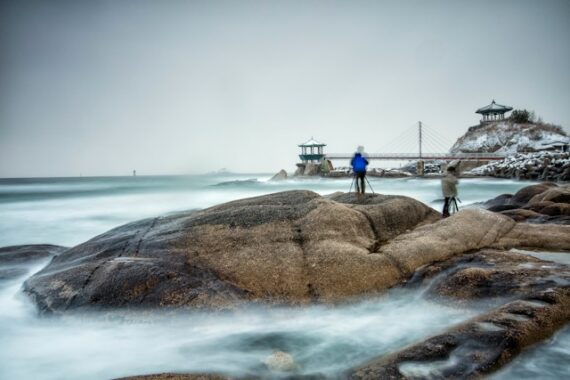
30 seconds, f/11, ISO 100, 25mm. Photo captured by martin bennie
Step 1: Find Your Starting Shutter Speed
Before attaching an ND filter, compose your shot and determine the correct exposure using your camera’s light meter.
For example:
- Aperture: f/11
- ISO: 100
- Shutter speed: 1/125 second
This is your starting exposure. Adding an ND filter reduces the incoming light, so you’ll need a longer shutter speed to compensate.
Step 2: Calculate Your New Shutter Speed
ND filters are measured in stops. Each additional stop halves the light entering your camera, requiring you to double the exposure time.
Here’s how different ND filters affect a starting shutter speed of 1/125 second:
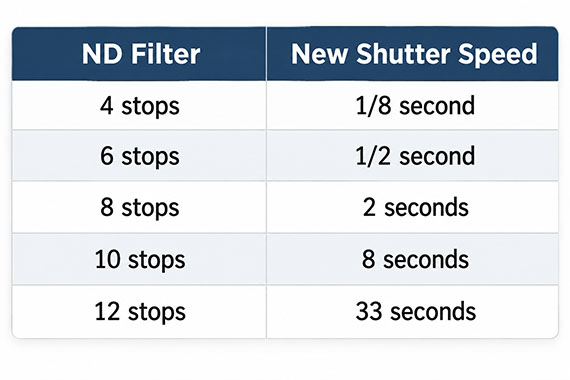
The formula is:
New Shutter Speed = Original Shutter Speed × 2^(ND Filter Stops)
For example, with a starting shutter speed of 1/60 second and a 10-stop ND filter:
1/60 × 2¹⁰ = 17.1 seconds
Your new exposure time is approximately 17 seconds, assuming your aperture and ISO remain unchanged.
Step 3: Choose the Right Creative Effect
The mathematically correct exposure isn’t necessarily the most visually appealing one. Different subjects benefit from different shutter speeds:
- Waterfalls: 1/4–2 seconds for smooth water with some texture.
- Ocean waves: 5–30 seconds for a soft, misty appearance.
- Moving clouds: 30 seconds to several minutes for dramatic streaks.
- City light trails: 10–30 seconds to capture moving vehicle lights.
These are starting points. Experiment with different exposure lengths to find the effect you prefer.
Step 4: Check and Fine-Tune
After capturing your first image, check the histogram and highlight warnings. ND filters aren’t always perfectly accurate, and changing light conditions can affect your exposure.
If the image is too dark, increase the exposure time. If it’s too bright, shorten it.
Quick tip: Doubling the exposure time adds one stop of light. Halving it removes one stop.
You can also use an ND filter calculator app to perform these calculations instantly.
Final Thoughts
Once you understand how ND filter stops affect shutter speed, long exposure photography becomes much more predictable. Start with a properly metered exposure, apply the formula, and fine-tune your settings based on the results.
Want to Master Long Exposure Photography?
Calculating shutter speeds is only part of the process. Our new Long Exposure Photography Guide & Cheat Sheets (currently 70% off today for our 🍂 Autumn Afterglow Sale) walks you through everything from choosing ND filters and camera settings to photographing waterfalls, oceans, clouds, and nighttime scenes.
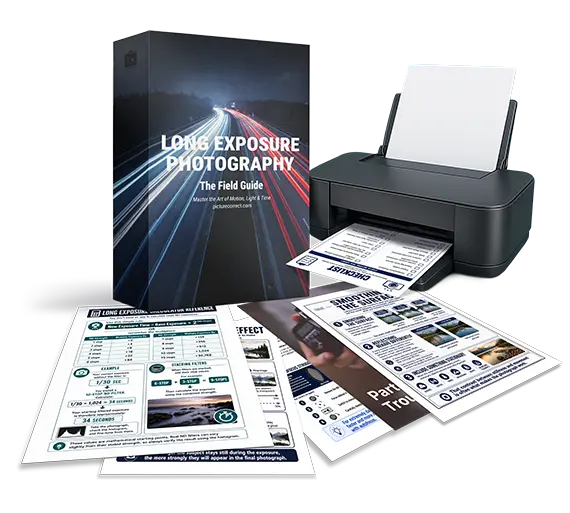
You’ll also learn how to avoid common mistakes and edit your long exposure photographs for professional-looking results.
Deal ending soon: The Long Exposure Photography Guide at 70% Off
Like This Article?
Don't Miss The Next One!
Join over 100,000 photographers of all experience levels who receive our free photography tips and articles to stay current:



Leave a Reply