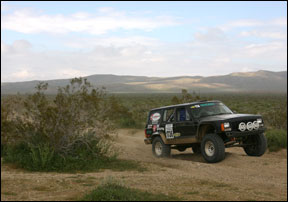
Before Changes
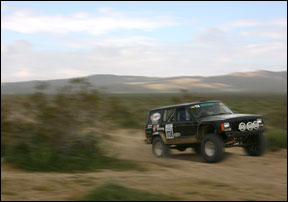
After Changes
This tutorial is to help you learn how to create the illusion of motion blur as easily as possible using masks and filters. This technique works great with pretty much any kind of sports photo. In this tutorial we will use a racing Jeep. Ok, once you have your photo open in photoshop:
1. Make a Duplicate Layer of the Background Layer.
(Layer>Duplicate Layer)
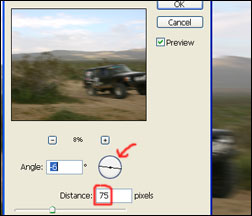
2. With the new layer copy apply a motion blur filter. (Filter>Blur>Motion Blur)
3. Add a Reveal All Layer Mask to the Layer copy or the top layer. (Layer>Add Layer Mask>Reveal All)
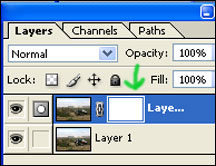
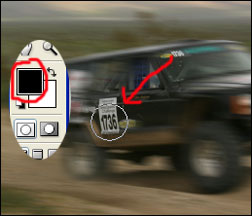
4. Then select a good sized paint brush, and wherever you don’t want the motion blur to appear, color that area black on the mask. And if you mess up simply color that area white again on the mask and the motion blur will come back.
For Further Training on Photo Effects:
Check out this best-selling eBook on how to do amazing photography tricks and photoshop effects. It can be found here: Trick Photography and Special Effects
Like This Article?
Don't Miss The Next One!
Join over 100,000 photographers of all experience levels who receive our free photography tips and articles to stay current:
This is super helpful! I’ve learned a lot of new things from this article. Thank you!
Awesome post and nice tips. Thanks for sharing! Cheers!
Thanks for this, just what I was looking for. Made my project cover get two extra points, thanks!
thanks a lot..It is great…