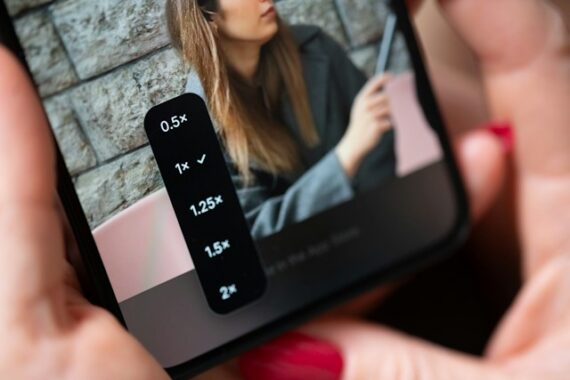
Modern smartphones might give you several camera choices: 0.5×, 1×, 2×, 3×, 5× and sometimes even more.
It can be tempting to think of these simply as different zoom levels. But there’s something important happening behind those little numbers:
You’re often switching between completely different cameras.
And in many situations, 1× is the camera that will give you the best image quality.
For further training, check out the 🍁 Fall Capture Sale on our Smartphone Photo Guide.
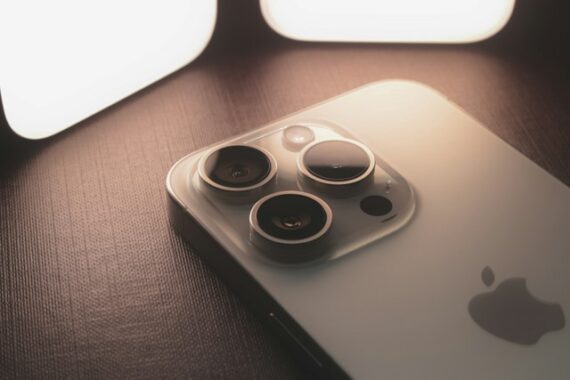
Photo captured by Samuel Angor
Why 1× Is Usually the Sweet Spot
On most modern smartphones, the 1× camera is the main camera.
Manufacturers generally put their best camera hardware here. It often has the phone’s largest image sensor, a relatively bright lens, and some of its most advanced computational photography features.
That combination matters.
A larger sensor can collect more light, which generally means:
- Less noise
- Better detail
- Better low-light performance
- More usable dynamic range
- Cleaner shadows
- Better overall image quality
So when image quality matters more than getting a particular field of view, 1× is an excellent place to start.
Why 0.5× Doesn’t Always Look as Good
The ultra-wide camera is incredibly useful.
It’s great for landscapes, architecture, interiors, dramatic foregrounds, and situations where you simply can’t back up any farther.
But the ultra-wide camera on many phones uses a smaller sensor and lens than the main camera.
You might barely notice the difference outside on a sunny afternoon.
Take the same photo indoors or around sunset, though, and the differences can become much easier to see. Fine detail may disappear, shadows can become noisier, and aggressive processing may be needed to compensate.
Use 0.5× when the composition calls for it—not simply because you want to fit more into the frame.
Be Careful With 2×, Too
This one gets interesting.
Depending on your smartphone, tapping 2× might switch to a dedicated telephoto camera.
But it might not.
Some phones create their 2× view by cropping into the center of the high-resolution main sensor. Other phones may switch between cameras depending on lighting conditions.
That doesn’t mean 2× is bad. In good light, it can look excellent.
But if you’re photographing in difficult light and don’t specifically need the tighter framing, 1× will often be the safer choice.
Don’t Assume More Zoom Means More Camera
Once you move beyond your phone’s actual optical cameras, you’re usually relying increasingly on cropping, digital zoom, computational processing, or some combination of them.
That’s why a photo taken at something like 10× or 20× may look surprisingly good on your phone screen but fall apart when you zoom in later.
Look closely and you may see smeared textures, artificial-looking detail and strange sharpening.
Sometimes it’s better to photograph at 1× with maximum image quality and crop afterward.
A Simple Test
Try this with your own phone.
Find a scene containing lots of fine detail—trees, bricks, signs, grass or distant buildings work well.
Photograph it at:
0.5× → 1× → 2× → your longest zoom setting
Then examine all of the photographs at 100%.
Pay particular attention to fine textures, shadow noise, edge detail and anything containing small lettering.
Repeat the experiment around sunset.
That’s when the differences between your phone’s cameras can become much more obvious.
The Takeaway
There’s nothing wrong with using every camera your smartphone provides. Different focal lengths are valuable creative tools.
Just remember that those buttons aren’t necessarily giving you the same camera at different magnifications.
When you’re unsure which one to use, start at 1×.
It’s typically your smartphone’s main camera—and very often the one capable of producing its best image quality.
For Further Training:
The Fall Capture Sale 🍁 on the Smartphone Photography Guide is going on now, and it’s a great chance to finally unlock what your phone camera can really do.
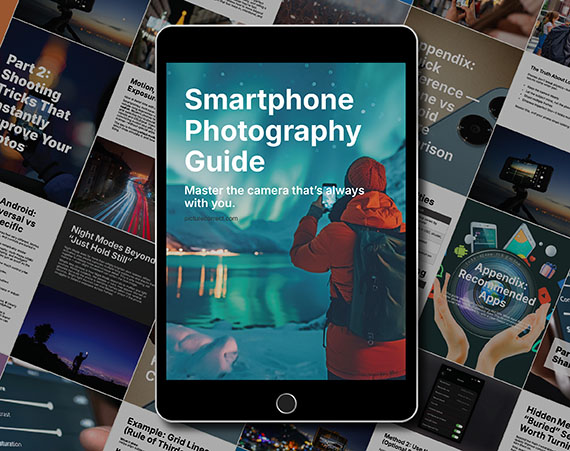
The guide walks through real, usable techniques—manual controls, motion blur, low-light shooting, and creative effects—so you’re not just relying on auto mode and luck. If this post helped, the guide goes much deeper.
Deal ending soon: Smartphone Photography Guide 🍁 Fall Capture Sale
Like This Article?
Don't Miss The Next One!
Join over 100,000 photographers of all experience levels who receive our free photography tips and articles to stay current:






Leave a Reply