Take your photos to the next level with these innovative, step-by-step editing guides for Photoshop, Lightroom and many other post-processing photography tools.
In photo editing news another extension has come to the Luminar Neo editing platform, the new Panorama Stitching Extension allows photographers to create sweeping panoramic photos with unparalleled versatility by introducing four distinct creation methods: 1. Pano stitching: Effortlessly stitch RAW or JPEG files to create seamless panoramic photos that convey the grandeur of vast […]
In this article, we will learn about the 3 Latest features in Adobe Camera Raw 15.1.1 ( And Above ) versions. The 3 features are AI-Powered Masking, AI-Powered Select Background, and Healing with Content-Aware remove. If you are a Wildlife and Nature photographer, you are going to love the features in the latest Adobe Camera […]
In photography news, this new All-in-one Photography Bundle is a comprehensive package designed to assist in developing your skills in landscape editing. The bundle comprises learning materials from five established photographers, the Luminar Neo photo editor (optional), and a selection of other creative content. Only available until June 26! Including Luminar: The All-in-One Photography Bundle […]
In this recent video, pro photographer Matt Kloskowski covered the latest updates to Adobe Photoshop. Here are some of the most important takeaways from his in-depth exploration of the new features: Arguably the highlight of this recent update, the new Remove tool has quickly become a favorite for Kloskowski. Grouped with the Spot Healing Brush […]
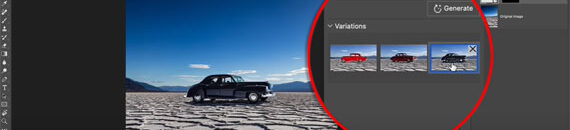
Photoshop, the ubiquitous tool of photographers and graphic designers, has unveiled a groundbreaking feature called ‘Generative Fill’. If you’ve ever thought about an AI tool that could seamlessly insert objects into your images, expand your borders, or replace your background, then Generative Fill is the ultimate game-changer. Patrick Hall from Fstoppers took it for a […]
Are you ready to elevate your Photoshop game to the next level? This video introduces Adobe Firefly, a ground-breaking generative AI technology now natively integrated into Photoshop. Brought to you by Adobe’s Photoshop guru, Russell Preston Brown, Firefly is a powerful, non-destructive feature that works by taking text prompts and transforming an existing photograph into […]
If you’ve recently been experimenting with the Luminar Neo software, you might have stumbled upon the ‘layers’ feature. The acclaimed photographer, Darlene Hildebrandt, provided an insightful walkthrough on using layers in Luminar Neo in a recent video. Today, we’re recapping the essential takeaways to help you bring out the best in your images: Why Use […]
Preserving the past is often a challenging task, especially when dealing with old family photographs. Photographer Darlene Hildebrandt’s recent video tutorial provides a practical and approachable guide to restore these timeless treasures in Luminar Neo: Darlene begins with an introduction and showcases a variety of old family photos to be used in the tutorial, exemplifying […]
In the world of digital photography, post-processing plays a crucial role in the transformation of a raw shot into a masterpiece. Adobe Photoshop is a titan in this arena, offering a myriad of powerful tools for photographers. However, even this comprehensive software can’t do it all, and that’s where plugins come into play. Photoshop plugins […]
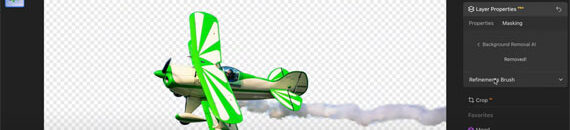
Professional photographer Darlene Hildebrandt recently shared some indispensable tips on how to use the Background Removal AI tool in Luminar Neo, allowing photographers to unleash their creative potential. This tool offers unique capabilities, opening the door to endless creative possibilities: How To Use the Background Removal AI To get started, simply choose your desired image, […]
We are always looking for more interesting and insightful photography tips and techniques to share with our readers. We would love to publish an article by you if you are interested in writing for us. See what we are looking for and get in touch.