Articles by Richard Schneider - PictureCorrect - Page 19901 articles

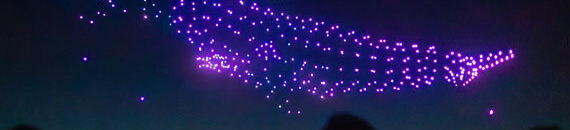
Drone Show Photography Tips

Drone Show Photography Tips

Evening drone shows have become a spectacular modern marvel, blending technology with creativity to paint the night sky with vibrant lights and synchronized movements. Capturing these breathtaking displays requires a blend of preparation, technical knowledge, and creativity. In this guide, we’ll explore the steps and techniques necessary to photograph an evening drone show, ensuring you […]

Continue Reading

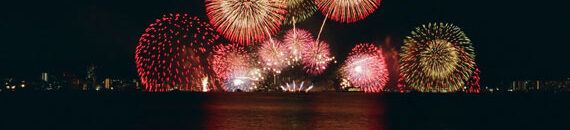
The Black Card Technique: Your Secret Weapon for Stunning Fireworks Photography

The Black Card Technique: Your Secret Weapon for Stunning Fireworks Photography

The black card technique is used in long exposure photography and can be particularly effective for shooting fireworks. The goal is to prevent overexposure and to capture multiple bursts of fireworks in a single frame. Final day: only a few days left for the Fireworks Photography Guide July 4 Sale Here is how you can […]

Continue Reading

The Shape That Changed Tripods — Now Reinforced for Pros

The Shape That Changed Tripods — Now Reinforced for Pros

When Peak Design first unveiled their radically reimagined Travel Tripod, they didn’t just build a smaller tripod—they rethought its shape entirely. By eliminating wasted space between the legs and the center column, they created something photographers hadn’t seen before: a truly compact, full-featured tripod that fit in a water bottle pocket. Now, they’ve taken that […]

Continue Reading

Drone Photo Editing Tools in Luminar Neo

Drone Photo Editing Tools in Luminar Neo

For those interested in improving their aerial images, selecting the right editing software is crucial. Luminar Neo is currently marked down for a Summer Sale (which ends tonight!) and offers advanced features tailored for drone photography. Transform Your Aerial Photos Luminar Neo provides a variety of tools to enhance aerial images: Panoramic Photo Creation: Transform […]

Continue Reading

How to Use GenErase to Remove & Replace Photo Parts

How to Use GenErase to Remove & Replace Photo Parts

Representing the next generation of image editing, GenErase is an advanced tool that elevates the standard for erasing and refining visual elements in photographs. It not only removes undesirable visual distractions from your images but also applies content-aware AI techniques to replace these elements intelligently. This process results in a composition that is both focused […]

Continue Reading

Update: Synthetic Photography Masterclass

Update: Synthetic Photography Masterclass

Steeletraining just added some updates to their popular Synthetic Photography MasterClass (currently 30% off!) along with the updates that have come to Midjourney. AI image generation is more accessible than ever. Tools like ChatGPT, DALL·E, and others now let anyone create visuals with just a few words. But while access is growing, quality remains another […]

Continue Reading

Stock Photography Workflow: From Camera Settings to Upload

Stock Photography Workflow: From Camera Settings to Upload

Maximize approval and sales rates on Adobe Stock, Shutterstock, or Wirestock Stock photography can be a powerful side income stream for photographers—especially when you understand what buyers are looking for and how to streamline your upload process. Whether you’re just getting started or looking to increase your approval and sales rates, here’s a detailed breakdown […]

Continue Reading

How to Photograph Auroras

How to Photograph Auroras

Photographers across the northern U.S. may have another chance to capture the aurora borealis tonight (Saturday, June 7), with geomagnetic activity expected to reach levels that could make the northern lights visible in states like Washington, Idaho, Montana, North Dakota, Minnesota, Wisconsin, and Michigan. Visibility will depend on cloud cover, but NOAA forecasts favorable conditions […]

Continue Reading

8 Common Scenarios Where Photographers Use Masking

8 Common Scenarios Where Photographers Use Masking

Masking is one of the most powerful tools in any photo editing workflow. Whether you’re using Lightroom, Photoshop, or another editing app, masks let you apply changes selectively—so you’re not affecting the whole image when you only want to target one part. Also keep in mind that this in-depth guide on Understanding Masking in Photo […]

Continue Reading

How to Use Autopilot in the Photo AI Editor

How to Use Autopilot in the Photo AI Editor

Photo AI’s new Autopilot feature makes photo editing faster and smarter. Whether you’re working with high-ISO images, fast action shots, or lower-resolution files, Autopilot automatically analyzes your image and recommends the best enhancements—like denoising, sharpening, upscaling, and lighting adjustments. With just one click, you get a professionally enhanced result that you can still fine-tune manually. […]

Continue Reading