If you’ve searched for advice on shooting RAW with a smartphone, you’ve probably seen the same promises repeated over and over: more quality, more dynamic range, more professional results. While none of that is entirely false, most guides leave out the important caveats—and that’s where photographers get frustrated.
RAW on a phone is powerful, but it’s not magic. Understanding what it can and can’t do is the difference between better photos and unnecessary extra work.
Reminder: only a little while left for the Smartphone Photo Guide New Year 🎉 Flash Sale
Mistake #1: Assuming RAW Automatically Means Better Photos
One of the biggest myths is that switching to RAW instantly improves image quality. In reality, RAW files are unfinished images. They’re flatter, duller, and sometimes noisier straight out of the camera.
On smartphones especially, JPEGs often look better at first glance because the phone applies:
- Computational sharpening
- Noise reduction
- HDR blending
- Color and contrast tuning
RAW skips most of that. It gives you data, not a polished photo. If you don’t plan to edit, RAW may actually look worse than JPEG.
Mistake #2: Ignoring Computational Photography Tradeoffs
Phones rely heavily on computational photography. Night Mode, Deep Fusion, and multi-frame HDR are responsible for many of the “wow” shots modern phones produce.
Here’s what many guides don’t mention:
Shooting RAW often disables or limits these features.
That means:
- Less aggressive noise reduction
- Reduced HDR blending
- Fewer stacked frames in low light
In good light, this isn’t a problem. In difficult light, JPEG or HEIC can outperform RAW because the phone’s software is doing more behind the scenes.
Mistake #3: Treating Smartphone RAW Like DSLR RAW
RAW from a phone is not the same as RAW from a large-sensor camera.
Key differences:
- Smaller sensor = less true dynamic range
- Highlights clip faster
- Shadows get noisy sooner
- Color depth is more limited
Smartphone RAW gives you more flexibility, not unlimited flexibility. You’ll recover some highlights and shadows—but pushing files too far often reveals noise, color shifts, or banding.
Mistake #4: Using RAW in the Wrong Situations
Many guides recommend shooting RAW all the time. That’s rarely ideal.
RAW works best when:
- Lighting is high-contrast (bright sky + dark subject)
- You need precise white balance control
- You plan to edit carefully
- You want consistent results across multiple shots
JPEG or HEIC is often better when:
- Shooting casually
- Using Night Mode
- Capturing quick moments
- Storage space matters
The best photographers switch formats intentionally—not permanently.
Mistake #5: Overestimating Editing Requirements
Another misconception is that RAW requires advanced desktop editing. While deeper edits are possible on a computer, modern mobile apps handle RAW surprisingly well.
Most smartphone RAW edits involve:
- Exposure refinement
- Highlight and shadow balance
- White balance correction
- Subtle contrast adjustments
If edits are kept reasonable, RAW files from phones can look excellent without heavy processing.
What RAW on Smartphones Is Actually For
RAW isn’t about turning a phone into a DSLR. It’s about control.
It’s most useful when:
- The camera made a poor automatic decision
- Lighting confused HDR processing
- Skin tones or colors matter
- You want consistency across images
Think of RAW as a safety net—not a shortcut.
The Bottom Line
Most guides oversell RAW as a universal upgrade. In reality, it’s a tool, not a default setting.
Smartphone RAW shines when you:
- Understand its limitations
- Edit with intention
- Choose it selectively
Used correctly, RAW can absolutely improve smartphone photos—but only when paired with realistic expectations and thoughtful shooting decisions.
For Further Training:
The New Year Flash Sale 🎉 on the Smartphone Photography Guide is wrapping up soon, and it’s a great chance to finally unlock what your phone camera can really do.
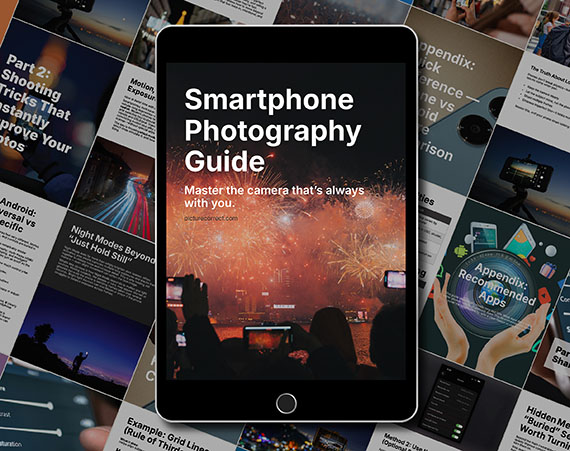
The guide walks through real, usable techniques—manual controls, motion blur, low-light shooting, and creative effects—so you’re not just relying on auto mode and luck. If this post helped, the guide goes much deeper.
Found here: Smartphone Photography Guide New Year 🥳 Flash Sale
Like This Article?
Don't Miss The Next One!
Join over 100,000 photographers of all experience levels who receive our free photography tips and articles to stay current:




Leave a Reply