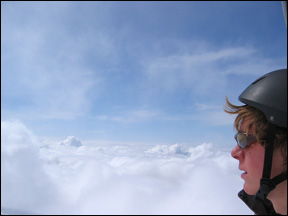
Before Changes
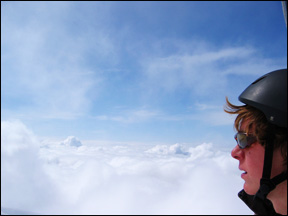
After Changes
This tutorial is to help you learn how to add contrast without over-exposing the photo. I usually use this technique instead of just adding contrast when I edit my pictures. Once you have your photo open in photoshop:
1. With the background layer selected make a Duplicate Layer (Layer>Duplicate Layer).
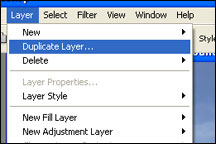
2. With the New Layer Selected, change the layer blending mode to Soft Light.
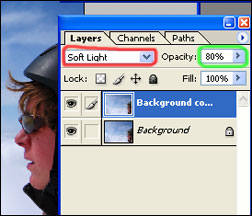
3. If this added too much contrast you can decrease the opacity of the top layer (I decreased it to 80%).
Like This Article?
Don't Miss The Next One!
Join over 100,000 photographers of all experience levels who receive our free photography tips and articles to stay current:


Leave a Reply